 Calendar
School planner for Windows
Calendar
See when assessments are due and where revision fits. Plan by month or by week, with a colour for each subject.
Download for Windows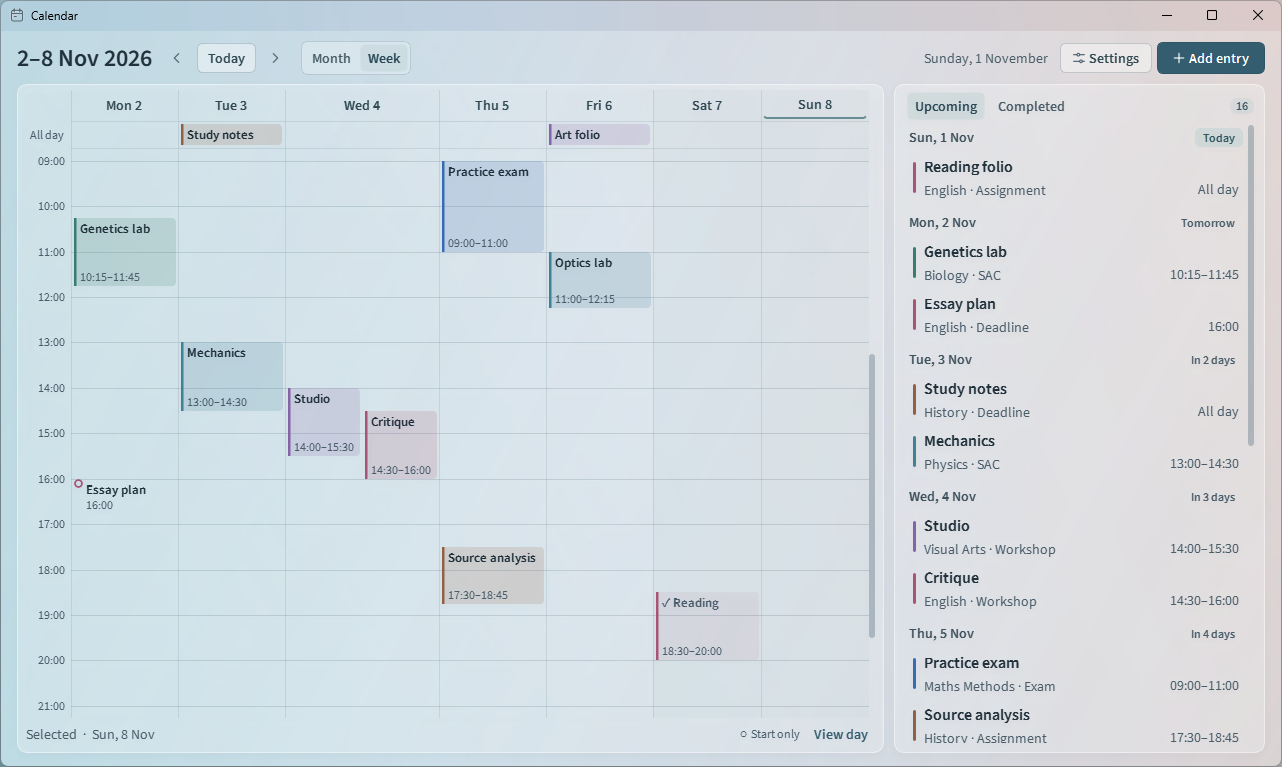
Install Calendar
For x64 PCs running Windows 10 (1809 or later) or Windows 11. Setup includes Python, Qt and the app font.
Run the installer
Open Calendar-1.2.1-Setup.exe. It installs for your Windows account without administrator access. The installer is unsigned. A SHA-256 checksum is available with the release.
Open Calendar from Start
Setup adds a Start menu shortcut and offers a desktop shortcut. Choose Add entry to plan your first assessment.
Keep your calendar on your PC
Calendar works offline. Entries are kept separately from the app, so they survive updates and uninstallation.
Where is my calendar saved?
Close Calendar and copy
%LOCALAPPDATA%\SchoolCalendar\calendar.sqlite3to back up your entries, subjects and view preference.